
ServiceNow Employee Service (ESC) in Microsoft Teams Virtual Agent
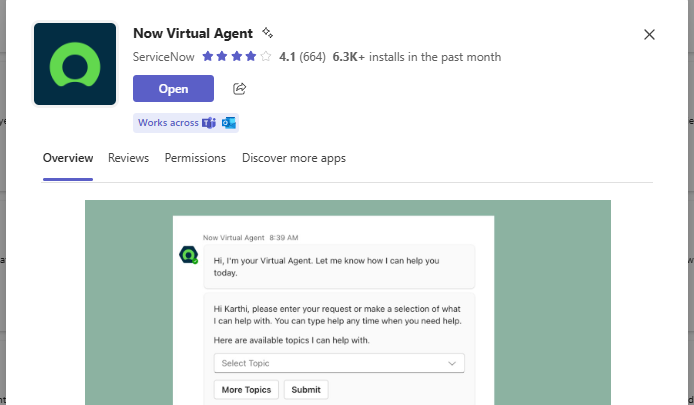
ServiceNow introduced integration capabilities with Microsoft Teams, allowing, e.g., the Virtual Agent to be used directly in Teams. This feature is...
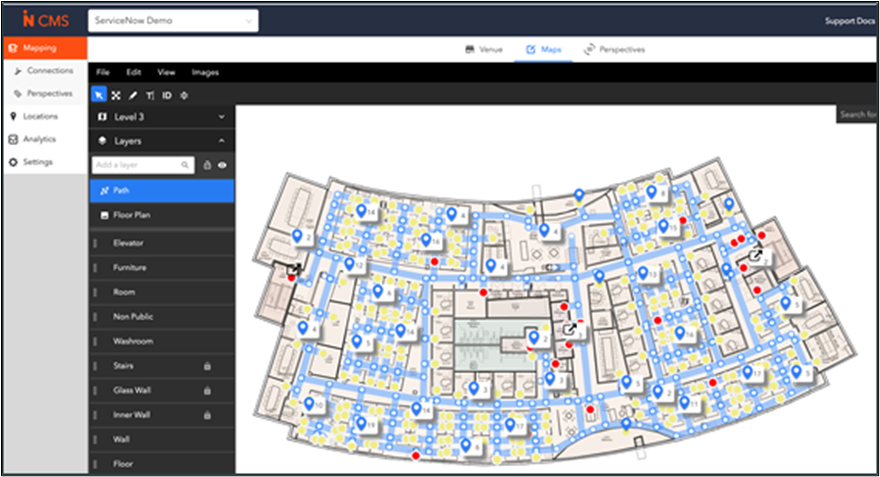
Have you heard about the Workplace Service Delivery (WSD) module in ServiceNow? WSD is a relatively new addition to the ServiceNow portfolio that helps organizations transform and manage modern, flexible workplaces.
In this article, we introduce WSD’s capabilities and share insights gathered from real-world implementations.
ServiceNow Workplace Service Delivery is a suite of applications designed to enhance the employee workplace experience by streamlining workplace-related services into a single, centralized platform.
With WSD, you can automate a wide range of tasks, including:
Room and space reservations
Office space optimization
Maintenance scheduling
Visitor registration
Office layout visualization
Calendar synchronization
Whether you're managing a hybrid office or multiple corporate locations, WSD provides a digital-first experience that meets the demands of today’s workplace.
Here’s an overview of the key applications included in the Workplace Service Delivery suite.
Empower employees with self-service reservations through desktop or mobile. Key capabilities include:
Reserving desks, meeting rooms, or other shared spaces.
Setting personal preferences (e.g. reservable locations, collaborators or services).
Viewing colleagues' in-office schedules.
Navigating via interactive maps.
Features like neighbourhood reservations and location privacy settings help create a personalized and productive hybrid workplace experience.
Facilitate structured support for employees needing assistance from workplace or facilities teams. This module helps manage and resolve various requests, such as:
General workplace support.
Office space reconfiguration.
Furniture requests.
It ensures consistent, trackable service delivery aligned with internal processes.
Streamline the visitor experience from pre-registration to check-out. With this module, organizations can:
Register guests in advance.
Notify visitors of office requirements (e.g., health, security).
Provide reception and security teams with visibility into expected visitors.
Employees can ensure smooth guest access, while workplace teams gain better control and preparedness.
Deliver a self-service, in-office experience through interactive kiosks. Both employees and visitors can:
Explore the workplace.
Raise workplace-related cases.
Book spaces and view availability.
Navigate spaces with an intuitive interface.
Administrators can configure check-in flows, manage maps, and enable location-specific kiosk features. Visitors can also autonomously register, check in, and check out of the workplace seamlessly.
Track and manage lease contracts, locations, and associated services from a centralized interface. With this application, you can:
Monitor contract versions, expiration dates, and renewals.
Manage related assets and services tied to each lease.
Maintain contract documentation for audits and reporting.
Proactive alerts and streamlined processes help ensure compliance and reduce manual tracking.
Enable workplace teams to plan and optimize workspace usage across the organization. This module provides:
Visual tools like stack plans and floor maps.
Scenario planning to test new layouts.
Data-driven analysis of space utilization and trends.
It helps allocate spaces efficiently based on organizational hierarchies and supports the evolving needs of hybrid work environments.
Workplace Move Management
Coordinate and automate employee moves with minimal disruption. Key features include:
Automated approval flows for move requests.
Association of moves with departments, neighbourhoods, or cost centers.
Conflict detection and resolution.
Both employees and managers can request seat changes via a streamlined interface, while workplace teams manage the logistics and communications end-to-end.
Plan and execute preventive and corrective maintenance for workplace assets and facilities. This module allows you to:
Schedule recurring maintenance tasks.
Automatically generate service cases.
Monitor maintenance performance trends (preventive vs. reactive).
It supports a cleaner, safer, and more reliable workplace while enabling data-driven facilities management.
Leverage conversational AI to help employees handle everyday workplace needs quickly and easily. Through one intuitive interface, users can:
Book reservations.
Submit workplace service requests.
Manage guest access.
Whether on desktop or mobile, Concierge simplifies interactions and provides real-time workplace insights to support collaboration and improve in-office productivity.
One of Workplace Service Delivery components is dedicated workspace- Workplace Central. It provides a unified experience for workplace managers, space planners or maintenance planners to strategize, plan, optimize, and maintain the workplace more efficiently.
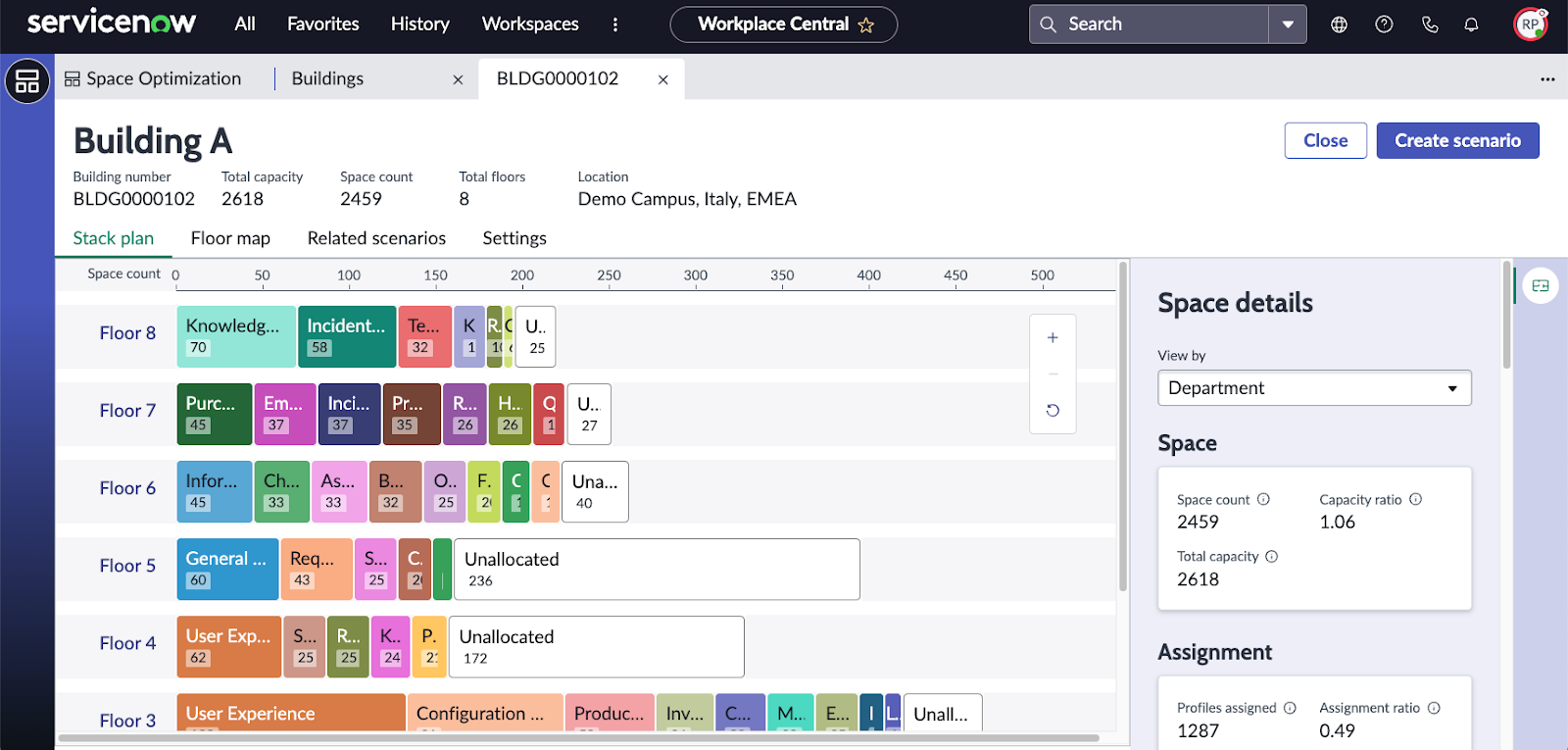
Figure 1.Worplace Central- stack plan view.
Workplace Central is a single hub where you can view key metrics and manage all your workplace operations. It's divided into multiple tabs/pages grouping work specific to the module:
Workplace Analytics- home page with dashboards and metrics to optimize the usage of workplace resources.
Lists- standard view with predefined lists/queries for specific applications grouped by categories.
Space Optimisation- for the space planner, to monitor scenarios and workplace-related information.
Scenario Planning- test and deploy space layout plans.
Space Assistance- manage and fulfil space-related requests.
Preventive maintenance- track plans and maintenance cases.
Lease Administration- oversee contracts with its dependent data, such as locations, documents, assets, terms, and conditions.
Case Management- manage case requests.
Move Management- monitor move requests.
Event Planner- for event planners to manage reservations including cancellations.
Schedule Planner- manage space assignments by creating schedule plan based on project time frames.
WSD integrates seamlessly with other ServiceNow modules and capabilities and external systems to offer a unified experience.
Internally WSD utilizes core platform capabilities such as:
Virtual Agent- build WSD specific topics allowing users interaction via chat.
Knowledge Base- enable knowledge management for self-help, trouble shooting and information sharing.
Employee Center- centralized interface for users to raise a case or make a reservation.
Notifications- ensure and improve communication capabilities.
Mobile- access WSD from mobile devices.
Now Assist- manage workplace reservation requests using Now Assist and enhance workplace experience by using generative AI experience to interact with workplace locations.
Reporting and Performance Analytics- operational reports, dashboards and metrics. Currently migration from Performance Analytics to Platform Analytics should be considered as platform wide operation.
Externally WSD can be integrated with following systems or services:
Microsoft Exchange, Google Workspace Calendar - sync reservations with organization’s calendar service provider, so reservations can be made in ServiceNow and reflected in organization calendar. Integration use dedicated IntegrationHub spoke.
Mappedin- create your floor plans in Mappedin and import/synchronize them in ServiceNow enabling indoor navigation capabilities such as finding the way from one place to another, checking where the space is located or how to office layout looks like.
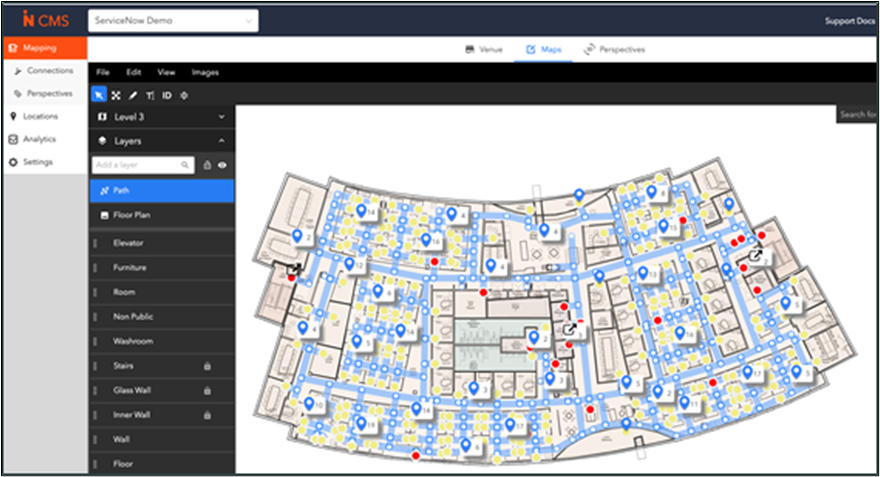
Figure 2.Create and manage office layout in Mappedin and import it to ServiceNow.
Meeting providers integration- auto-generate links for virtual meeting while making a reservation in WSD. Following meeting providers are supported:
Template- default meeting provider
Zoom
Microsoft Teams
Microsoft Places- manage workplace service requests from WSD for MS Places application integrated with Microsoft Teams application.
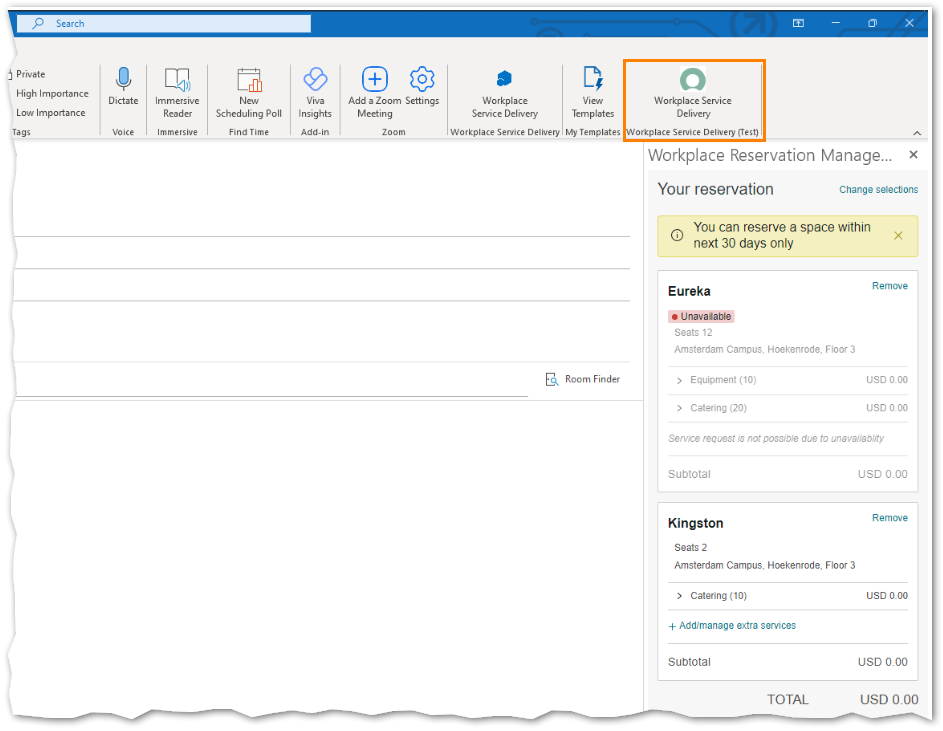
Figure 3. Microsoft Outlook Add-in for WSD reservations.
Implementation Strategy
Technically, each WSD application is a separate plugin, dependent only on the Workplace Core, whichprovides flexibility in sequencing implementations. However, business processes often depend on one another—so it’s important to co-create the scope and rollout plan during early workshops.
Educate and Align Early
Introduce all WSD modules at the start of the project to ensure customers understand the full potential and can make informed decisions on priorities. Use available materials such as training, story packs, and blueprints.
Watch for Dependencies
While technically independent, some modules may require enabling other platform features such as Employee Center or Indoor Mapping. Always verify prerequisites and version compatibility (e.g., using the latest release note). Depending on application, some releases may introduce significant changes which impact overall approach for implementation.
Start Small, Grow Smart
Adopt an evolution, not revolution mindset. Begin with the core modules that deliver the most value, then expand incrementally based on feedback and adoption.
User Roles
On a high level WSD separates users into:
Interactive Space Mapping: Native or Mappedin
WSD supports indoor mapping through:
Each enables wayfinding and interactive floorplans. However, plan carefully: office layout files (e.g., CAD) are required to build maps, and updating or recreating them can be time-intensive if not well-prepared.
Don’t Forget "Now Create"
ServiceNow provides a rich set of ready-to-use resources including:
Use these assets to speed up planning, prototyping, and implementation.
ServiceNow’s Workplace Service Delivery suite is designed to support the modern, hybrid workplace by combining automation, self-service, and intelligent insights. These modules work together to create a seamless experience for employees, facilities teams, and workplace administrators—ultimately driving productivity, satisfaction, and operational efficiency.
ServiceNow Workplace Service Delivery (WSD) is designed to support any organization that manages physical workspaces, particularly in hybrid work models.
WSD helps organizations:
Simplify workspace reservations, visitor management, and maintenance coordination across many offices or campuses
Offers employees self-service tools to plan in-office days, book desks, and coordinate with teams.
Provides real-time data on space utilization, supports lease and maintenance management, and improves cost control.
Tracks visitor entry, exit, and access; ensures compliant facilities management.
Offers a modern and digital workplace experience with self-service, mobile apps, and virtual assistants.
Facilitates space redesigns, office consolidations, and moves with data-driven planning tools.
Provides consistent service delivery while allowing location-specific configurations (e.g., kiosk flows, reservation rules).
ServiceNow introduced integration capabilities with Microsoft Teams, allowing, e.g., the Virtual Agent to be used directly in Teams. This feature is...

Each one of us takes care of our health not only for ourselves but also for people who are close to us. We do some periodical exams and health checks...

How do you choose the right ServiceNow partner? How do you ensure quality and know-how for your ServiceNow projects? The answer is to pay attention...